
For the best experienceDownload the Mobile App
App Store Play Store
NEW BUSINESS LICENSING MODULE/PROCEDURES  
BUSINESS LICENSE RENEWALS  
  
To better serve you, our community is upgrading to a modern, user-friendly digital business licensing and contractor registration platform. The new system will streamline your applications, speed up approvals, and allow you to manage all renewals online.  
  
Note, all persons engaged in the business of constructing, building, rebuilding, repairing, and mechanical equipment installation, repair and replacement, will now need to obtain their business license through the Contractor Registration module in Cloudpermit.  
  
Emails were sent out this week inviting all current license holders to create their Cloudpermit Account. All license holders must create an account to renew their licenses. Creating your account is simple:  
1. Go to the Cloudpermit website  
2. Click “Sign In”  
3. Click
NEW BUSINESS LICENSING MODULE/PROCEDURES  
BUSINESS LICENSE RENEWALS  
  
To better serve you, our community is upgrading to a modern, user-friendly digital business licensing and contractor registration platform. The new system will streamline your applications, speed up approvals, and allow you to manage all renewals online.  
  
Note, all persons engaged in the business of constructing, building, rebuilding, repairing, and mechanical equipment installation, repair and replacement, will now need to obtain their business license through the Contractor Registration module in Cloudpermit.  
  
Emails were sent out this week inviting all current license holders to create their Cloudpermit Account. All license holders must create an account to renew their licenses. Creating your account is simple:  
1. Go to the Cloudpermit website  
2. Click “Sign In”  
3. Click
NEW BUSINESS LICENSING MODULE/PROCEDURES BUSINESS LICENSE RENEWALS To better serve you, our community is upgrading to a modern, user-friendly digital business licensing and contractor registration platform. The new system will streamline your applications, speed up approvals, and allow you to manage all renewals online. Note, all persons engaged in the business of constructing, building, rebuilding, repairing, and mechanical equipment installation, repair and replacement, will now need to obtain their business license through the Contractor Registration module in Cloudpermit. Emails were sent out this week inviting all current license holders to create their Cloudpermit Account. All license holders must create an account to renew their licenses. Creating your account is simple: 1. Go to the Cloudpermit website 2. Click “Sign In” 3. Click "Create Account" 4. Enter your email address 5. Agree to terms of conditions and privacy note 6. Cloudpermit will send a confirmation email 7. Open the email and complete the registration process 8. Note: the registration link is valid for 24 hours After registration, you can log in anytime using your email and password. • Once registered, you will be able to renew your license by following these instructions: 1. Go to the Licensing section of your dashboard and click Search Licenses. 2. Search for your business license and click Open License. 3. Click the Options button located in the top right corner/header. 4. Click the Renew License button and select Yes to confirm. 5. Complete all required tasks and update any requested information. 6. Click Sign Off Application, read the declaration, and select Sign Off. 7. Click Submit Application to send it to your local municipality for processing. You will receive an email confirmation. If you do not have an email address on file with the City, paper letters will be mailed out in the upcoming week. To avoid penalties and late fees, licenses need to be renewed by December 31, 2026. Late fees begin accruing January 1, 2027, at 10% of the license fee per month. Unpaid accounts will be sent to collections on all unpaid accounts after February 1, 2027. Cloudpermit: https://us.cloudpermit.com/coosbayor/

Published on: 11/05/2026

This news was posted by City of Coos Bay

Go To Business Place

Description

NEW BUSINESS LICENSING MODULE/PROCEDURES
BUSINESS LICENSE RENEWALS

To better serve you, our community is upgrading to a modern, user-friendly digital business licensing and contractor registration platform. The new system will streamline your applications, speed up approvals, and allow you to manage all renewals online.

Note, all persons engaged in the business of constructing, building, rebuilding, repairing, and mechanical equipment installation, repair and replacement, will now need to obtain their business license through the Contractor Registration module in Cloudpermit.

Emails were sent out this week inviting all current license holders to create their Cloudpermit Account. All license holders must create an account to renew their licenses. Creating your account is simple:
1. Go to the Cloudpermit website
2. Click “Sign In”
3. Click "Create Account"
4. Enter your email address
5. Agree to terms of conditions and privacy note
6. Cloudpermit will send a confirmation email
7. Open the email and complete the registration process
8. Note: the registration link is valid for 24 hours
After registration, you can log in anytime using your email and password.

• Once registered, you will be able to renew your license by following these instructions:
1. Go to the Licensing section of your dashboard and click Search Licenses.
2. Search for your business license and click Open License.
3. Click the Options button located in the top right corner/header.
4. Click the Renew License button and select Yes to confirm.
5. Complete all required tasks and update any requested information.
6. Click Sign Off Application, read the declaration, and select Sign Off.
7. Click Submit Application to send it to your local municipality for processing. You will receive an email confirmation.

If you do not have an email address on file with the City, paper letters will be mailed out in the upcoming week. To avoid penalties and late fees, licenses need to be renewed by December 31, 2026. Late fees begin accruing January 1, 2027, at 10% of the license fee per month. Unpaid accounts will be sent to collections on all unpaid accounts after February 1, 2027.

Cloudpermit: https://us.cloudpermit.com/coosbayor/

887316615_1441907481431416_1972251264580315813_n.jpg?_nc_cat=103&_nc_map=urlgen_bucketless&ccb=1-7&_nc_sid=127cfc&_nc_ohc=wF2S-mHINl4Q7kNvwHxpcEk&_nc_oc=AdpyKHibb-yR3yfcscOCHxJjgaHXGEdVCbVhIEGyiaAotJkg-Ut-NaKTRZW7mPmWmoo&_nc_zt=23&_nc_ht=scontent.fsof8-1.fna&edm=AKIiGfEEAAAA&_nc_gid=s51imyYzTDdqOSSupbLxIQ&_nc_tpa=Q5bMBQKndSFNkBzCq-1iwpTyVeENMt4muDJYLOBHSn_-AxiOG03TCubIVoDrm25x8o975zqKwpdHw6fV&oh=00_AQTfIwkuUp9fSowwn42YcAXaymYR3_myCPmWqjrtVeLa8g&oe=6AF2EA9F

News Source : https://www.facebook.com/672903211665184/posts/1443069451315219

Other Related News

Tigard-Tualatin School District leaders name 1 elementary school as a candidate for closure

11/05/2026

Leaders at the Tigard-Tualatin School District are recommending the closure of Alberta Rid...

Shannon Singleton wins race for Multnomah County chair; Brim-Edwards concedes

11/05/2026

Julia Brim-Edwards announced her concession in the Multnomah County chair race Shannon Sin...
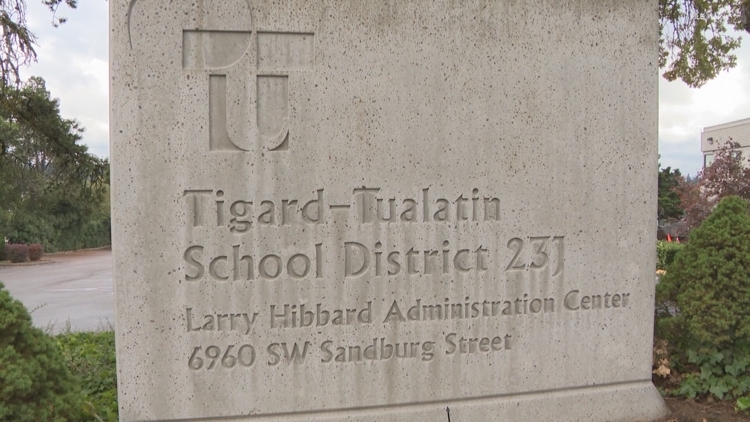
Tigard-Tualatin School District announces elementary school slated to close

11/05/2026

Alberta Rider Elementary is set to close for the 2028-29 school year the school district s...

When does HOKA’s Black Friday sale begin in 2026?

11/05/2026

HOKA fans looking to score a deal on their favorite running shoes wont have to wait much l...

ShoutoutGive Shoutout
500/500